
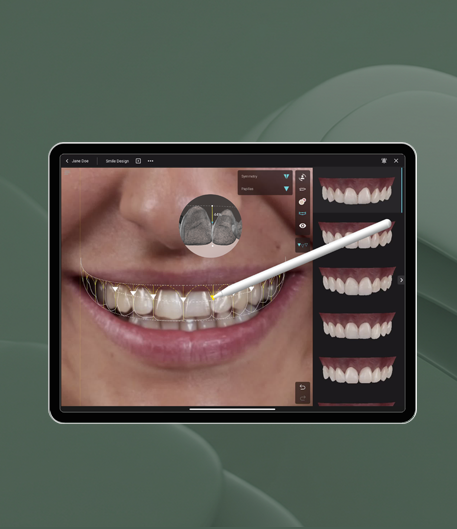

An intraoral scanner is a handheld optical device that projects light onto the teeth and soft tissue, captures thousands of images and stitches them into a 3D surface model that the lab designs from.¹² For the restoration, the brand on the wand matters less than four things: whether the scanner exports an open file, how it copes with long spans, how implant scan bodies are captured, and how carefully the scan was taken. This guide covers each one, then gives a send-to-lab checklist.
How an intraoral scanner works
Every dental scanner does the same basic job. A light source (laser or, in newer devices, structured light) is projected onto the arch, imaging sensors record the reflection, and the software turns those images into a point cloud and then a triangulated surface mesh.² The optical principle behind the depth measurement varies. Reviews group current devices into confocal microscopy, triangulation and active wavefront sampling systems, and those principles affect trueness and precision in different ways.³

The step that matters most to us at the bench is stitching. The scanner never sees the whole arch at once; it captures small overlapping frames and the software joins them into one model as you move.¹ Each join carries a little error. Over a single preparation and its neighbours that error is negligible. Over a whole arch it accumulates, which is why span length, not the scanner’s headline accuracy, sets the practical limit of what a scan can do.
What an intraoral scanner is used for
In restorative work the scan is the impression for crowns, bridges, veneers and implant restorations. The same data is used in orthodontics for digital models and appliance planning, and in periodontal and surgical planning where soft tissue records help.¹ For implant cases the arch scan is also what gets merged with CBCT data when a guide is planned, which is the starting point for digital implant planning and surgical guides.
Whether a scan beats an elastomeric impression is a separate question, covered on our digital dental impressions page. Here the focus is the device and the handover.
What differs between dental scanners (and what the lab actually notices)
Open or closed export
This is the difference that decides whether your scan reaches the lab cleanly. An open system exports standard files (STL, OBJ or PLY) that any CAD software can open; a closed system outputs proprietary files that need the matching software or a manufacturer portal.² Before you commit to a new scanner, check how it sends to the labs you already use, not just how it scans.
File format: STL, PLY or OBJ
STL is the lowest common denominator and describes surface geometry only. PLY and OBJ can carry colour as well as shape, which helps the technician read the gingival margin against the tooth and see soft tissue in the aesthetic zone. For a posterior crown an STL is usually enough; for anterior aesthetic work or anything where the tissue contour matters, a colour export gives the designer more to work with.
File size is not a reason to hold back. A PLoS One study that zipped, unzipped and sent STL files through four common cloud-transfer services found no measurable dimensional change in the models.⁷
Full-arch accuracy limits
For single units and short spans, scanner accuracy is well established. Full arches are where the evidence is still mixed. An early review concluded that scanning error across an entire arch did not appear compatible with long-span restorations.² A 2024 systematic review and meta-analysis of full-arch scans found contradictory results across studies, with most clinical studies of the finished prostheses reporting fit within clinically acceptable thresholds, but high heterogeneity and no standard way of measuring accuracy.⁴ A 2025 umbrella review reached a similar position: good results in dentate arches, with limitations remaining in complete-arch, edentulous and implant-supported work.³
The practical reading is that a full-arch scan is usable but needs a strategy. Edentulous ridges give the software few fixed landmarks to stitch against, so long-span implant cases usually need verification before the definitive prosthesis, a point we go into in our full-arch implant restoration guide.
Implant scan bodies
For implants, the scanner does not need to see a margin. It records a scan body screwed into the implant or abutment, and the CAD software matches that shape against a library file to locate the implant’s position and angulation.²
The scan body is not neutral, though. A 2024 systematic review found that scan body design, material and position in the arch, the scan pattern and the use of scan aids all affected accuracy, and that long-span implant scans remained less accurate than conventional impressions.⁵ So the lab needs to know exactly which scan body was used, and it needs to be fully seated when you scan.
Which intraoral scanner is best?
There is no single answer, and we don’t rank systems. What changes the restoration is a short list of criteria. A 2017 review described the ideal scanner as fast, with a small tip, no need for powder, high trueness and precision, colour capture and open file export.² To that we would add two practical questions: how easily it exports to your lab, and how comfortable your team is using it every day, since operator experience affects the result.³
How to take an intraoral scan the lab can use
Most accuracy problems start at the chair, not in the software. The main variables in the literature are operator experience, scanning strategy, saliva or bleeding and limited posterior access.³
- Control the field. Saliva and moisture interfere with capture.¹ Isolate, dry and scan in short sections if you need to.
- Expose the margin. Light cannot push the gingiva aside, so the scanner will not record a finish line it cannot see. Single or double retraction cord, and a field free of bleeding, are what make subgingival margins readable.²
- Use one consistent scan path. In an in vitro study of nine scanning patterns on one scanner, both the movement pattern and the way the arch was segmented significantly changed trueness and precision, with linear and combined movements outperforming zig-zag.⁶ Manufacturers publish recommended paths; follow yours consistently rather than improvising.
- Rescan, don’t patch. If the margin or a contact is blurred, trim that area and recapture it before you send.
- Check the bite. Scan both arches fully, then record the buccal bite in the intercuspal position and check the occlusal contacts on screen before exporting.
Send-to-lab checklist
Before the case leaves the surgery, run through this:
- 1. Both arches and a bite scan, or a clear note if a quadrant scan is deliberate.
- 2. Margins visible all the way round on every preparation, checked at magnification on screen.
- 3. Right file type: open export (STL, or PLY/OBJ if colour matters) or your scanner’s lab-connection route.
- 4. Implant details: implant system, platform and connection, and the exact scan body used.
- 5. Prescription: tooth numbers, restoration type, material, margin design, contact and occlusal preferences.
- 6. Shade and photographs, ideally taken under standardised conditions; our note on digital shade matching covers what helps the technician most.
- 7. Anything unusual flagged, such as a deep margin, limited interocclusal space or a planned change to the occlusion.
A complete file set is what lets the design stage start straight away. For implant units it also lets us choose the retention and abutment approach discussed in our guide to types of implant crowns.
How Zenith handles your intraoral scan
Zenith is a fully digital laboratory. We accept intraoral scans from 3Shape, iTero, Medit, DS Core, Carestream and Smilecloud, and conventional impressions where they are needed. Because the lab was founded by a practising dentist, a doubtful margin or a thin bite record gets a clinical conversation rather than a silent guess, and you have direct access to the team throughout the case.
Once the scan is in, we return a digital design preview within 24–48 hours for your approval before anything is milled or printed. Our remake rate is 2%, against an industry average of 8–12%, and much of that comes from resolving scan and prescription questions before manufacture. The same data then runs through our CAD/CAM workflow without being converted back to a stone model.
If you want to check how your scanner exports to us, or send a first case, get in touch with the team. You can call +44 113 548 2598 or email cases@zenithdental.co.uk.
FAQs
Frequently asked questions
Everything you need to know about working with Zenith Labs.
What is an intraoral scanner used for?
An intraoral scanner records a 3D digital impression of the teeth and soft tissue. Dentists use it for crowns, bridges, veneers and implant restorations, for orthodontic models and appliances, and for surgical and periodontal planning.¹ The scan is sent to the lab as a digital file and designed in CAD software, so no physical impression or model has to be posted.
Which intraoral scanner is best?
No single system is best for every practice. The criteria that matter to the restoration are scanning speed, tip size, powder-free capture, trueness and precision, colour capture and open file export.² Add how easily it connects to your lab and how confident your team is with it, because operator experience affects accuracy as much as the hardware.³
How do you do an intraoral scan?
Isolate and dry the field, retract the gingiva so the finish line is visible, then scan each arch along one consistent path recommended for your scanner.¹²⁶ Recapture any blurred margin or contact, scan the opposing arch, record the bite in the intercuspal position and check the contacts on screen before exporting the file to the lab.
What file format should I send to the lab?
An open STL is accepted by almost every CAD system and is enough for most posterior work. PLY or OBJ carry colour as well as geometry, which helps with margins and soft tissue in aesthetic cases. If your scanner uses a closed format, send through its lab-connection portal instead.² Zipping the file or using a cloud transfer service does not distort it.⁷
Are intraoral scans accurate enough for full-arch work?
Often, but with caveats. A 2024 meta-analysis found mixed results for full-arch scans, although most clinical studies reported prosthesis fit within acceptable thresholds.⁴ Limitations remain in complete-arch, edentulous and implant-supported cases.³ A consistent scan strategy and a verification step before the definitive prosthesis are sensible for long spans.
Do I need a scan body for an implant crown?
Yes, for a digital implant impression. The scan body is screwed into the implant and matched to a library file so the software can locate the implant’s position and angulation.² Its design, material and position affect accuracy,⁵ so tell the lab the implant system, platform and the exact scan body you used.
Sources
- Journal of Pharmacy & Bioallied Sciences (Dhull KS et al., 2024): “Intraoral Scanners: Mechanism, Applications, Advantages, and Limitations”: https://pmc.ncbi.nlm.nih.gov/articles/PMC11426806/
- BMC Oral Health (Mangano F et al., 2017): “Intraoral scanners in dentistry: a review of the current literature”: https://pmc.ncbi.nlm.nih.gov/articles/PMC5727697/
- Cureus (Singh R et al., 2025): “Accuracy and Clinical Performance of Intraoral Scanners Compared to Conventional and Extraoral Impressions: An Umbrella Review”: https://pmc.ncbi.nlm.nih.gov/articles/PMC12553488/
- Journal of Clinical Medicine (Pesce P et al., 2024): “Accuracy of Full-Arch Intraoral Scans Versus Conventional Impression: A Systematic Review with a Meta-Analysis and a Proposal to Standardise the Analysis of the Accuracy”: https://pmc.ncbi.nlm.nih.gov/articles/PMC11721843/